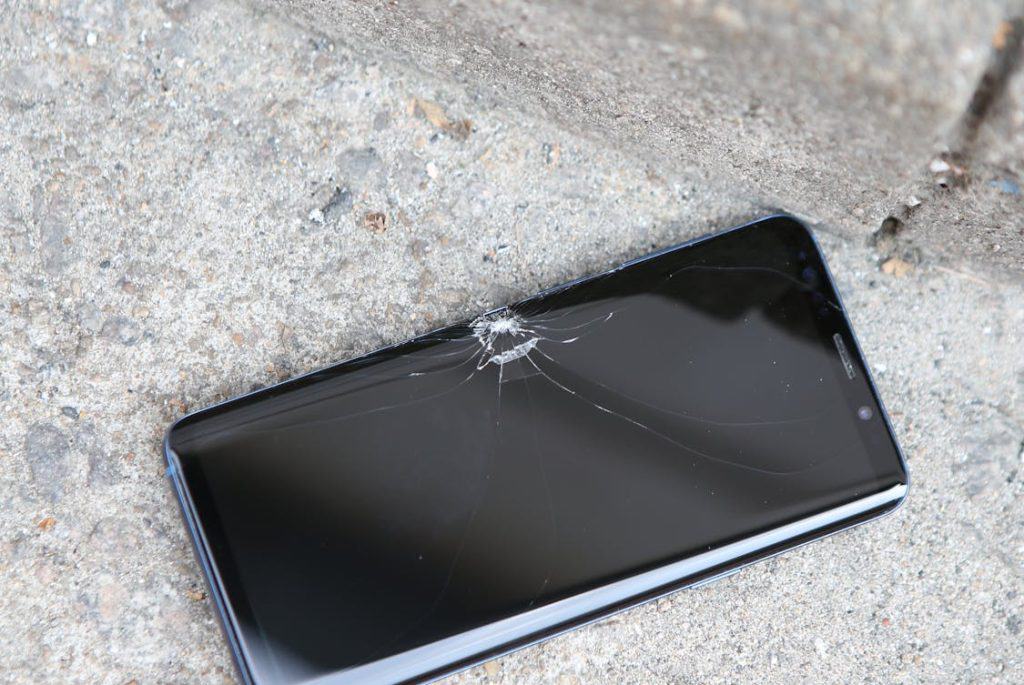
After a few years in repair work, you start to notice that the same problems come through the door again and again. Some are dramatic — a shattered screen, a phone that was left in a puddle — and some are gradual, like a battery that slowly stops making it through the day. Here's an honest explanation of what's actually happening in the most common cases.
1. Cracked and damaged screens
This is consistently the most common reason people bring a phone in. The display assembly on a modern smartphone is a multi-layer structure — there's the glass on top (which is what usually breaks), the digitiser layer underneath that handles touch input, and the actual display panel below that. Depending on how hard the impact was and where it landed, any or all of these layers may be affected.
A crack confined to the outer glass might leave the touch function and display completely intact — you just have a cracked surface. But if the impact reaches the digitiser, you'll notice the screen not responding to touch in certain areas, or registering phantom touches (so-called "ghost touches") that you didn't input. If the display panel itself is damaged, you'll see discolouration, lines across the screen, or dark patches where the backlight or display has failed.
Repair involves replacing the damaged layer or layers. On many phones, the glass and digitiser are bonded together as a unit, so replacing the glass alone isn't straightforward — the entire assembly usually needs replacing. Some repair approaches involve separating and rebonding layers, but this is skilled work and not universally available.
On iPhones and some other models, replacing the screen can also affect Face ID or other features that are paired to the original hardware. We'll explain these implications before any work begins.
2. Battery deterioration
Lithium-ion batteries don't fail suddenly — they degrade gradually over time through a process of chemical wear. Every charge cycle (one full charge from 0% to 100%) adds a small amount of wear. Most batteries are rated for somewhere between 500 and 800 full cycles before their capacity drops to around 80% of new, though this varies by device and charging habits.
At 80%, a battery that originally lasted a full day might only last five or six hours under the same conditions. The degradation also affects peak power delivery, which is why older batteries sometimes cause phones to shut down unexpectedly at 15% or 20% charge — the battery can't meet the power demand even though it still shows charge remaining.
The fix is a battery replacement, which is one of the most straightforward repairs in terms of restoring the device to normal use. On most phones it's a moderate repair — not trivial, because adhesive and often some components need to be carefully managed, but a predictable and reliable fix when done carefully.
3. Charging port issues
Charging ports take a lot of mechanical stress over a phone's lifetime — the cable is connected and disconnected hundreds or thousands of times, and the small pins inside the port can bend or break, or the port can fill with compacted fluff and debris from pockets.
Before assuming the port itself is faulty, it's worth trying a different cable and charger, and gently cleaning the port (a soft brush or compressed air, not a metal tool). A surprising number of charging problems are caused by debris blocking the connection rather than a hardware fault.
If the port is genuinely damaged, it typically needs to be replaced. On some phones this is a relatively simple job; on others the charging port is soldered directly to the motherboard, which requires more involved work. We'll tell you which applies to your device.
4. Water and liquid damage
Water damage is one of the more complex categories because what you see on the outside tells you almost nothing about what's happening inside. When liquid enters a device, it doesn't just sit there — it begins to cause electrochemical corrosion on the circuit board, which can affect multiple components in unpredictable ways.
The common advice to "put it in rice" doesn't actually do much. Rice is a poor desiccant and doesn't draw moisture out of components effectively. What matters most in the immediate aftermath is turning the device off immediately (if it isn't already), not trying to charge it, and getting it looked at by a professional as quickly as possible. The longer corrosion is allowed to progress, the more damage accumulates.
Recovery from water damage involves opening the device, cleaning the board and components carefully, assessing what's been affected, and in some cases replacing damaged parts. The outcome depends on how much exposure there was, how quickly the device was treated, and which components were affected. We'll always give you an honest picture of what we find.
5. Speaker and microphone faults
Audio problems come in a few varieties. A speaker that produces distorted or crackling sound often has a torn membrane — a thin diaphragm inside the speaker that can be damaged by debris, liquid, or simply by sustained high volume over time. A speaker with no output at all is usually either a hardware failure or a software glitch, and it's worth ruling out the software side first (a restart, and checking that the volume isn't set via Bluetooth to a disconnected device).
Microphone issues tend to manifest as callers reporting they can't hear you clearly, or voice recordings picking up poor audio. Debris blocking the microphone grille is a common culprit — the grilles are small and accumulate lint surprisingly quickly. If cleaning doesn't resolve it, the microphone itself may need to be replaced.
Some phones have multiple microphones — typically one at the bottom for voice calls and one or more at the top for noise cancellation or video recording. Knowing which one is affected helps narrow down where the problem lies.
6. Overheating
Phones generate heat during normal use — this is expected. The processor, the screen, and the cellular radio all produce heat, and the chassis of the phone is designed to dissipate it. Occasional warmth during demanding tasks is normal.
Sustained or excessive heat is a different matter and can indicate several things: a battery that's swelling or failing, a software process consuming more processor resources than it should (often a rogue app or a failed update), or thermal paste drying out in older devices that use it. In some cases, liquid damage can cause a short circuit that produces heat.
If a phone is getting uncomfortably hot during normal use, or shutting down due to temperature, it's worth having it checked rather than continuing to use it in that state.
7. Buttons that stop working
Physical buttons — power, volume, the side button on iPhones — can fail for a few different reasons. The button mechanism itself may wear out mechanically, the ribbon cable connecting it to the board may be damaged, or in some cases the issue is actually with the software interpreting button presses rather than the hardware itself.
On devices where the home button is essential for navigation (older iPhones, some Android models), a failed button can significantly affect usability. iOS has an accessibility feature called AssistiveTouch that creates a software button as a temporary workaround — it's worth using this while you wait for a repair rather than struggling without it.
8. Connectivity issues (Wi-Fi, Bluetooth, cellular)
Connectivity problems are often software-related rather than hardware — a corrupted network setting, a failed update, or a conflict with a recently installed app. The usual first steps (forgetting and reconnecting to the network, restarting, resetting network settings) resolve a lot of cases without needing any hardware intervention.
When it is a hardware issue, it typically points to antenna damage — usually from a drop or from liquid exposure. Antennas on modern smartphones are integrated into the chassis and can be affected by physical damage that doesn't obviously look severe from the outside. A diagnostic will tell you whether the signal hardware is functioning properly.
Recognise any of these? Bring your phone in and we'll take a proper look. No obligation — we'll tell you what we find and what the options are.
Get in Touch